
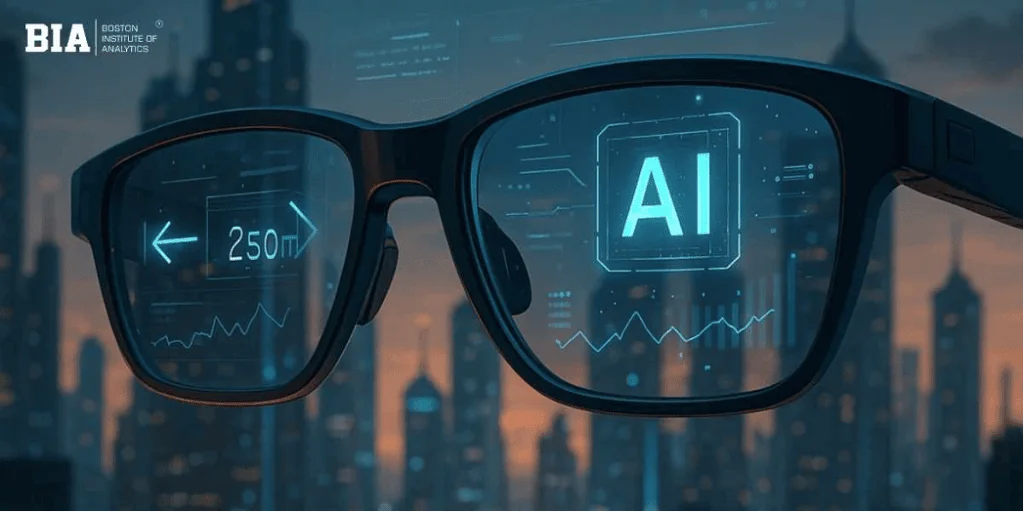
We had the chance to get a quick hands-on look at Google’s future AI-powered glasses at this week’s Google I/O developer conference. These are not the audio-only glasses that the company claims will start delivering this fall, but rather the glasses that provide a mixed audio and visual experience.
These Android XR glasses, which were first revealed at the event last year, have an in-lens display that superimposes useful information over the actual environment. This includes widgets that might provide the weather, walking instructions, Uber pickup information, live translation, and more. You could even create your own AI-powered widgets.
The business stated that both the audio-only version and the upcoming display version of the glasses will pair with iOS and Android phones.
The initial generation of audio glasses, to be released later this year, is expected to be followed by eyewear with a display. The glasses were created in collaboration with Samsung, Gentle Monster, and Warby Parker, fusing Google’s technology with the aesthetics of each brand.
While the glasses we tested were polished enough to be tested externally, they were still very much in the prototype stage. The representatives showcasing the XR glasses clarified that the prototype allowed Google to concentrate on experimenting more freely with the display technology and its effects on battery life rather than worrying about some of the cosmetic issues linked to various styles and forms. This means that, in terms of fit, form, size, and attention to detail, these glasses are significantly different from any future shipping version. Instead, it’s more akin to being able to play around with the “insides” of the glasses while maintaining a simple, cozy frame.
The glasses we tried lacked this capability, but the retail version will be able to recognize when the glasses are put on your head and removed.
You squeeze the right side of the glasses’ frame for two seconds to activate Gemini. You can tell that Gemini is on and paying attention when a startup chime occurs. In the retail version, the user can choose whether or not to turn on the camera when Gemini starts, but in the demo version, starting Gemini also starts the camera simultaneously.
In the first test, we asked Gemini to play a favorite musician through the glasses. Unfortunately, even with the music turned up to its highest intensity, it was still difficult to hear clearly and in detail because the arena was too noisy to assess the sound quality. However, based on this brief experience, it seems that the glasses wouldn’t be a good replacement for better earbuds, while they might work if you simply wanted to listen to music while outside, walking, hiking, or doing housework. Compared to the transparency mode on gadgets like Apple’s AirPods, the benefit of not wearing earbuds is that you can hear someone conversing more easily.
Tap once on the frame’s side, around the center, as though you were tapping your temple, to stop the music.
In the second test, we took a picture of a person by pressing the camera capture button. The image was moved to our watch and phone as the display was off. (A lengthy press will eventually allow you to record video, although this feature was not tested with the prototype. Instead of a picture, you would see a preview of the video thumbnail.
Instead of pressing the photo button, you can just ask Gemini to snap a picture and manipulate the image using artificial intelligence. Saying something like, “Take a photo and turn the person into an anime character,” is one example. After being transmitted to the phone, the image is forwarded to the Gemini and Nano Banana servers before being returned in its modified form.
The round-trip took about 45 seconds at the Google I/O venue, where Wi-Fi was overloaded.
When the display is turned on, a basic home screen will show up in your line of vision. Some widgets that displayed the weather and a countdown to Google’s I/O event were preinstalled in the demo version. If Google Maps or Translate were among your primary use cases for the glasses, you could also incorporate quick launchers into those programs.
Although the platform can accommodate both single and multiple screens in addition to audio-only glasses, the prototype only had one display over the right eye. We attributed the image’s slight fuzziness to our prescription contacts, which require us to wear one lens for near vision on one side and one for distance on the other. The image sharpened when we closed one eye, although the experience caused some eye irritation above the right eye almost immediately, and it’s not apparent if the prescription was solely to blame.
The language translation feature on the glasses, which is supported by the Google Translate app on the phone, was one of the better demonstrations. While Gemini spoke English in our ears, one of the demonstrators talked quickly in Spanish, and the glasses automatically recognized the language and displayed the words in English on the screen. Travelers from around the world might purchase the glasses just for this experience.
It should be noted that Translate will also function with the audio-only glasses; the text will simply not be visible on the glasses. Instead, in addition to the real-time audio feedback, you could view the transcription on the phone if necessary.
Another demonstration featured navigating with the glasses. We could get a sense of how it functions, even if we obviously couldn’t leave the venue and go for a stroll to test its accuracy. Asking Gemini to navigate to a destination, which might be as ambiguous as “the nearest coffee shop,” is how you begin the Google Maps experience.
Turn-by-turn directions will appear on the glasses after Gemini activates Google Maps on the phone and the experience loads for a short duration. Information about your upcoming turn will appear when you are gazing forward. However, you may find your blue dot on a map by looking down at the ground if you need to become oriented in space. Similar to trying to get the blue dot on your phone to point in the correct direction, you may also rotate in space by turning left and right.
You can then continue walking without the map getting in your way when you look up again.
Saved locations like “home” and “work” will already be accessible because the experience is linked to Google Maps on your phone.
Additionally, we had a brief opportunity to utilize the glasses to recognize and inquire about a range of things in our field of vision. At first, the glasses had trouble identifying the duplicate of a Monet painting on a shelf in front of us, but this was because the camera was not immediately enabled by the prototype; instead, it had to be turned on again via the app. Even as we got closer to focusing on the Monet signature in the lower left corner, it took Gemini a few queries before she acknowledged that it appeared to be a Monet.
Other testing went more smoothly since the glasses responded to questions about several recipes in a book and instantly recognized the plant on the shelf. Even so, you could still accomplish these tasks with Google Lens (or other AI models built into chatbot apps) today, though we think it’s intriguing to be able to perform them without taking out your phone.
Google claims that when it expands its trusted tester program later this year, it will have more information regarding its Android XR display glasses.
Despite the competition from Meta and Snap in this area, the business feels that audio will be adequate for some users’ needs in the interim, which may be a clever strategy to hide the fact that it does not yet have its display glasses available.
Similar to the display version, the audio glasses provide you access to Google’s Gemini AI, which you may hear in private via the frame speakers on the spectacles. As with the upcoming display versions, you can use these glasses to listen to music, snap pictures, make calls, and tap into your phone’s apps.
The glasses will enable users to instruct Gemini to perform tasks like “take the ingredients from this recipe and add them to my shopping list,” but we did not demonstrate how to access other third-party apps.
During the event’s keynote, Google also demonstrated how the glasses could view a meal that the wearer was preparing on the stove and provide feedback, such as whether the meat was done or not.