
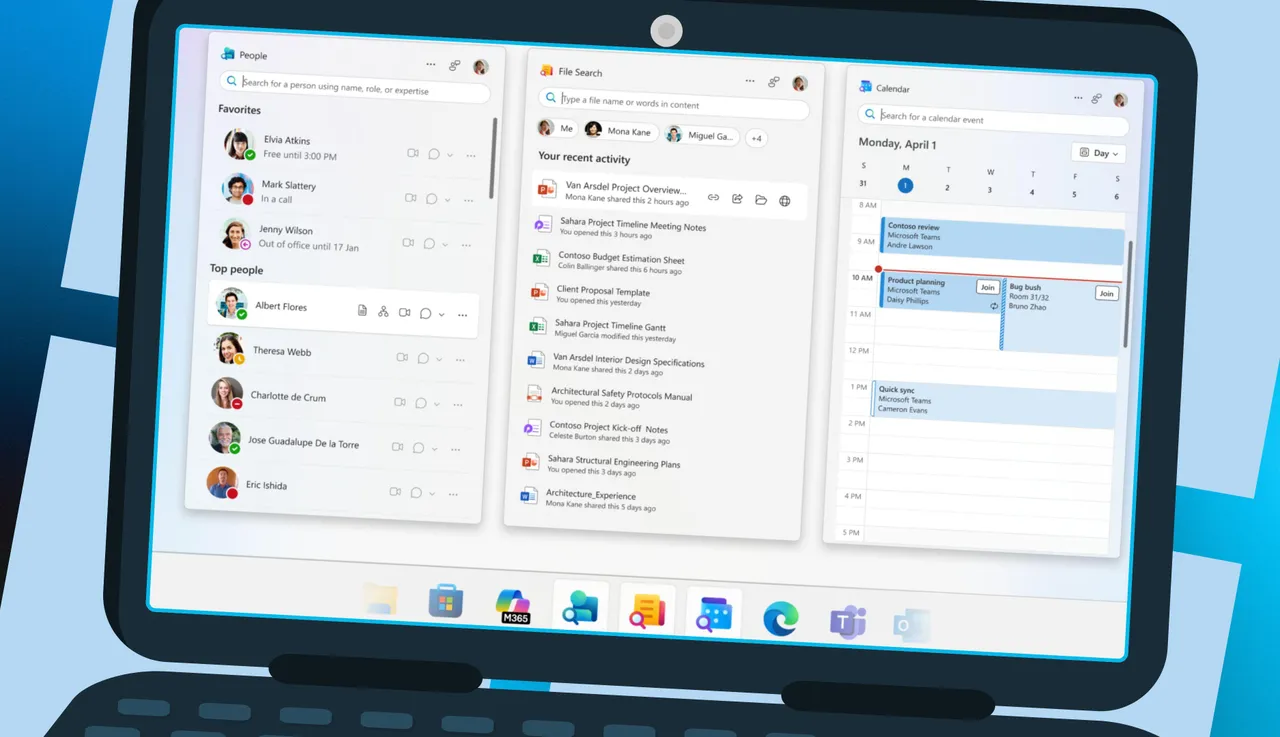
For Windows 11 subscribers of Microsoft 365 Business, Microsoft has started releasing three new lightweight companion apps that provide instant access to productivity features from the taskbar without requiring users to launch complete applications.
A major extension of Microsoft’s integrated productivity ecosystem has been made with the automated deployment of the new People, File Search, and Calendar apps to Windows 11 computers that have Microsoft 365 desktop apps installed.
Simplified Integration Of The Taskbar
The companion apps are intended to “enhance productivity and save users time within the Microsoft 365 ecosystem” by offering “easy access to files and colleagues directly from the Windows 11 taskbar,” according to Microsoft’s official literature. For qualified business users, the apps install and run immediately at startup; however, end users and IT administrators can turn this feature off if they’d like.
In addition to offering access to organizational charts and facilitating instant Teams messaging or calls without requiring users to move between apps, the People companion lets users search for coworkers by name, department, location, or project. With file preview features and direct sharing choices, the File Search companion helps users find Microsoft 365 documents on OneDrive, SharePoint, Teams, and Outlook. With the Calendar companion, users can check schedules, join meetings, and reply to invites all from the taskbar, providing a streamlined view of Microsoft 365 calendar events.
Rollout For Business Only
The new features are not yet available to consumer subscribers; the distribution is restricted to Microsoft 365 Business and Enterprise clients. In March 2025, Microsoft first made the applications available to Microsoft 365 Insiders in the Beta Channel. In June, Current Channel Preview users were given access to the apps. The company’s revised roadmap schedule states that the wider corporate implementation started this month.
By going to Customization > Device Configuration > Modern Apps Settings and turning off the “Enable automatic installation of Microsoft 365 companion apps” option, IT administrators can stop automatic installation through the Microsoft 365 Apps admin center. Nevertheless, devices that already have apps loaded are not affected by this setting.
Context Of The Market
Following complaints that Windows 11’s built-in calendar capability was noticeably less than that of Windows 10, Microsoft has made a concerted effort to further integrate Office 365 services into the operating system with the companion apps. Industry watchers point out that the action is consistent with Microsoft’s approach of offering easy-to-use productivity tools and enticing customers to stay in the Microsoft environment rather than go to rival apps.
The rollout occurs as Microsoft gets ready for the October 2025 end of support for Windows 10. The company is pushing Windows 11 and its integrated Microsoft 365 capabilities as the main reasons why businesses should upgrade their computers.